Start Chatting Already [No Registration Required]
This will take you to the chat room you are looking for
Sometimes you want to clear your chat screen or keep your private chats away from view. Follow these simple steps to hide your group or private conversations:
Steps to Hide Chats:
Open y99: Launch the app on your device.
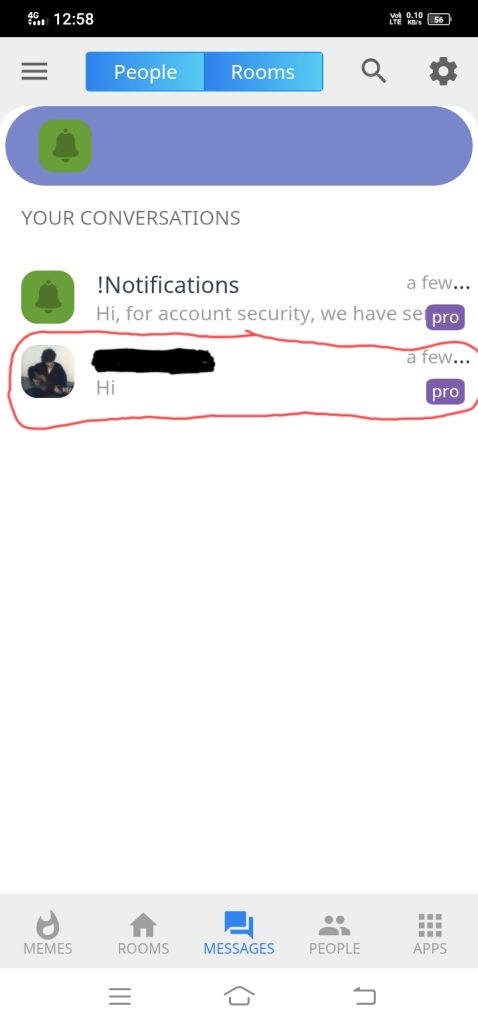
Go to Messages: Open the Message section where all your chats are stored.
Long Press: Press and hold the chat you want to hide.
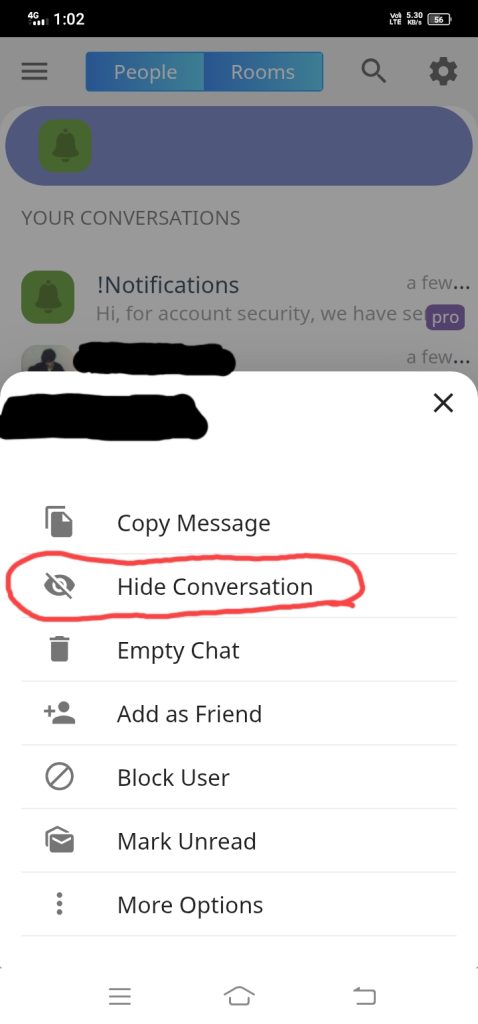
Tap Hide: Select the “Hide Conversation” option.
#Important Things to Know:
• It’s Not Deleted: Your messages are still there. Hiding a chat does not delete your history.
• How to See it Again: If you send a new message to that person, the hidden chat will automatically show up again in your list.
This is the best way to keep your inbox clean without losing your important messages 🤞
Blog by user – I_****_**ul.